
The intake saves itself
You never have to press a save button in the intake form. About half a second after you stop typing, your answers are stored, and anything still waiting is sent when you close the tab.
The header of the form shows when your answers were last saved, for example "Saved Oct 8, 2:15 PM". On a new draft it reads "Saved Not saved yet" until you change something. After you submit, it changes to "Submitted" with the date.
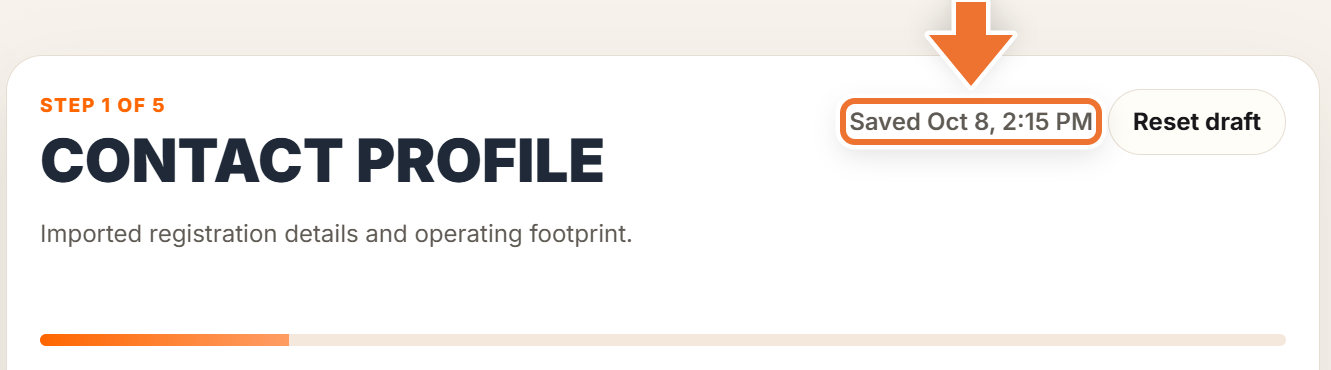
"Reset draft", right next to it, is not a save button. It wipes every answer in your intake after you confirm, and the answers cannot be restored.
The Autosave card
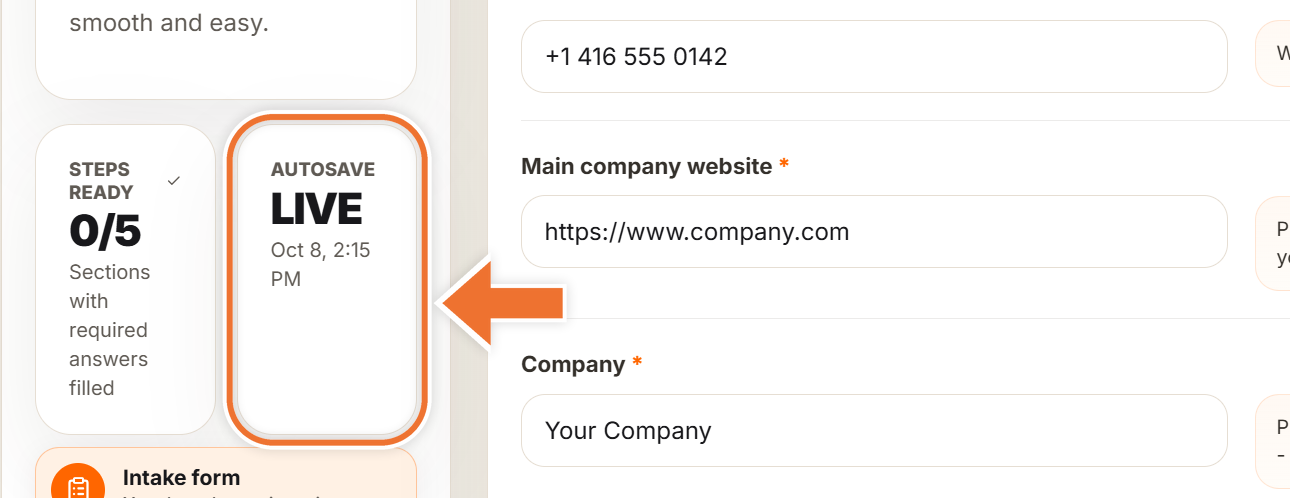
On the left, under the intake overview, the "Autosave" card confirms the same thing. It reads "LIVE" with the time of the last save, and switches to "Syncing" for a moment while a save is on its way. Before your first change it says "Draft starts after your first change".
If saving looks stuck
- Watch the "Saved" time in the header. If it moves forward as you type, everything is fine.
- Check your internet connection. If the browser is offline, you will see "You appear to be offline – check your connection and try again." Your answers stay on screen; they are sent once you are back online and change something.
- Keep the intake open in one tab only. If you see "Your answers could not be saved just now. Please reload this page, your answers are kept.", reload the page.
- If in doubt, reload the page. Your draft comes back with everything that was saved already in place.
You were signed out while working
If you have not turned on "Remember me", you are signed out after 60 minutes without activity. The next save then takes you to the sign-in screen with "Your session expired. Please log in again." Sign back in and you return to your draft. Everything saved before the session ended is still there.
Settings have their own Save buttons
Autosave only covers the intake form. In Settings, each block, such as "Default channels", "Your timezone", "Your currency" or "Phone for calls", has its own Save button. Press it and wait for "Saved" with a tick to appear underneath before you leave the page.
Still losing changes?
If answers do not stick even after a reload, tell us which step and which question it was, so we can look into it.